




Full CAD package for professionals!
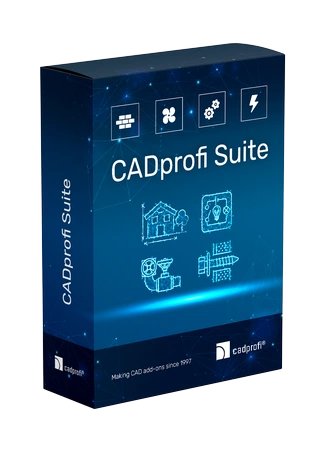
Cheaper in the full package! CADprofi Suite includes all 4 CADprofi modules for 50% price. Do your work much faster by using 4 professional modules. Advanced commands, the largest library of symbols and objects and many functions are available in CADprofi Suite.
Examples of using CADprofi Suite:
- When designing electrical and HVAC installations, you can first quickly draw building plans using the architectural module.
- The rooms defined in the architectural module can be exported to the DIALux program as a ready building outline. Then, lighting fixtures selected in DIALux can be easily imported into the electrical module and afterwards you can easily assign them to appropriate electrical circuits and create specifications. Thanks to this, you can finish a complete project much faster and easier.
- In the architectural module you can designate rooms, and then using the Arrange command you can quickly arrange fire detectors, sprinklers and other objects from the electrical and HVAC & Piping modules.
- In the mechanical module you can design mounting method for tanks, trays and other objects from the electrical module as well as HVAC & piping systems.
- In the electrical module, you can design the electrical installation for vehicle charging stations. Thanks to the architectural module, you can designate charging points for cars.
- You can design evacuation and fire protection plans, including:
- in the architectural module you can quickly draw building plans and create evacuation, fire protection and safety plans.
- in the electrical module you can design fire detection systems, emergency lighting and other intelligent building and safety systems.
- in the HVAC & Piping module you can design any piping and ventilation installations, including fire extinguishing and smoke venting systems. - In the architectural module you can easily define the technical parameters of the rooms (lighting, ventilation, temperature, heat loss).
- When creating a building plan in the architectural module, you can show the location of radiators (e.g. under windows or on the walls) from the HVAC & piping module.
- In the architectural module, you can easily insert bushings (culverts) for pipes, ventilation ducts and cable trays.
- When designing electrical and HVAC installations, you can first quickly draw building plans using the architectural module.
- The rooms defined in the architectural module can be exported to the DIALux program as a ready building outline. Then, lighting fixtures selected in DIALux can be easily imported into the electrical module and afterwards you can easily assign them to appropriate electrical circuits and create specifications. Thanks to this, you can finish a complete project much faster and easier.
- In the architectural module you can designate rooms, and then using the Arrange command you can quickly arrange fire detectors, sprinklers and other objects from the electrical and HVAC & Piping modules.
- In the mechanical module you can design mounting method for tanks, trays and other objects from the electrical module as well as HVAC & piping systems.
- In the electrical module, you can design the electrical installation for vehicle charging stations. Thanks to the architectural module, you can designate charging points for cars.
- You can design evacuation and fire protection plans, including:
- in the architectural module you can quickly draw building plans and create evacuation, fire protection and safety plans.
- in the electrical module you can design fire detection systems, emergency lighting and other intelligent building and safety systems.
- in the HVAC & Piping module you can design any piping and ventilation installations, including fire extinguishing and smoke venting systems. - In the architectural module you can easily define the technical parameters of the rooms (lighting, ventilation, temperature, heat loss).
- When creating a building plan in the architectural module, you can show the location of radiators (e.g. under windows or on the walls) from the HVAC & piping module.
- In the architectural module, you can easily insert bushings (culverts) for pipes, ventilation ducts and cable trays.